Vehicle Operation
- Adjust driving style considering the machine’s weight is located above the cab, which raises the center of gravity and reduces stability
- Pay special attention in curves and turns:
- Avoid excessive speed
- Do not make sudden maneuvers
- Always reduce speed before entering a turn
- Excessive speed or sharp turning can cause the vehicle to tip over onto its side
- On sloped roads (uphill or downhill), the elevated load increases the risk of imbalance. Adjust speed and maintain a steady trajectory to avoid rollover.
Positioning At The Container
General alignment
- Since containers vary in construction, there is no single reference point valid for all compaction operations
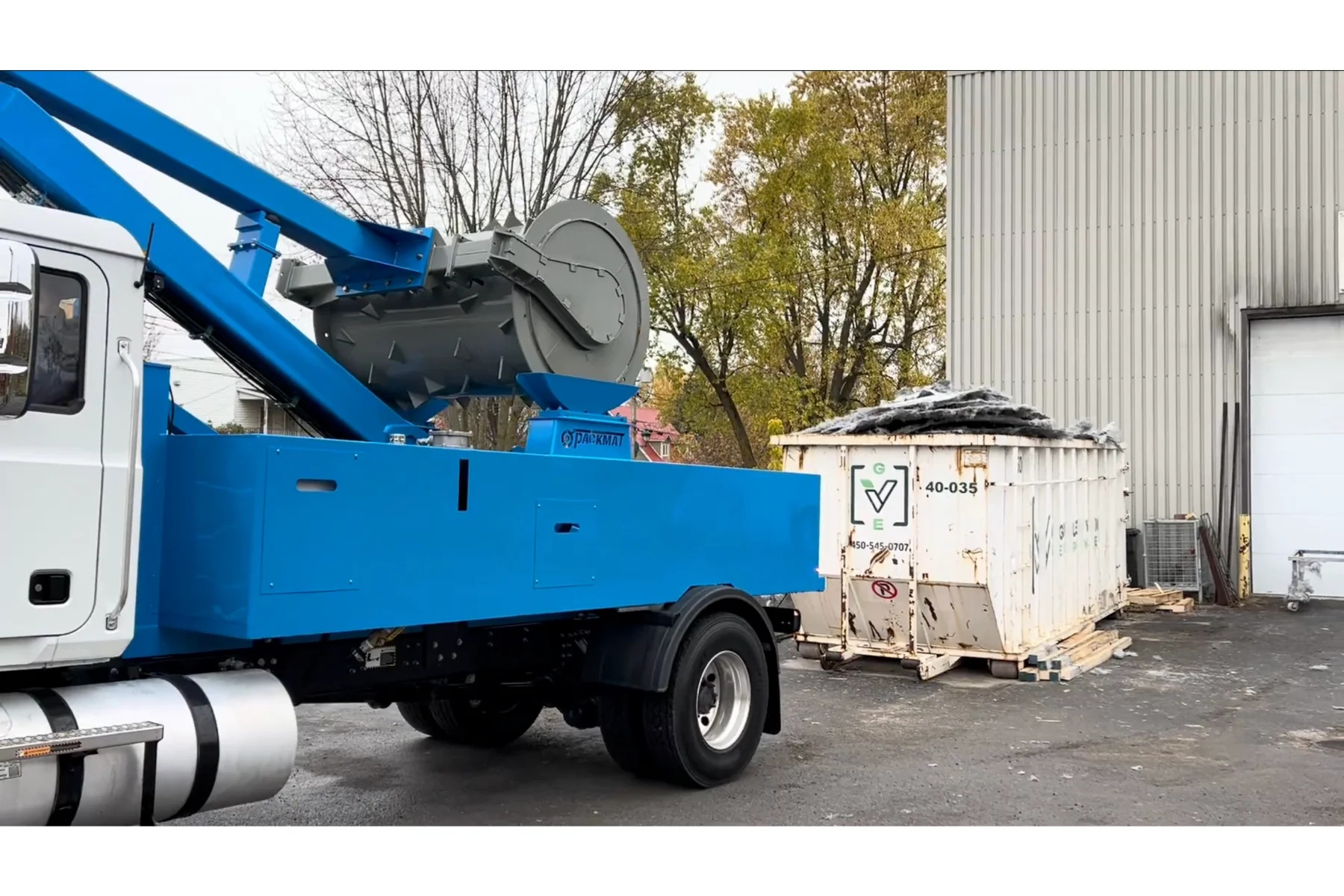
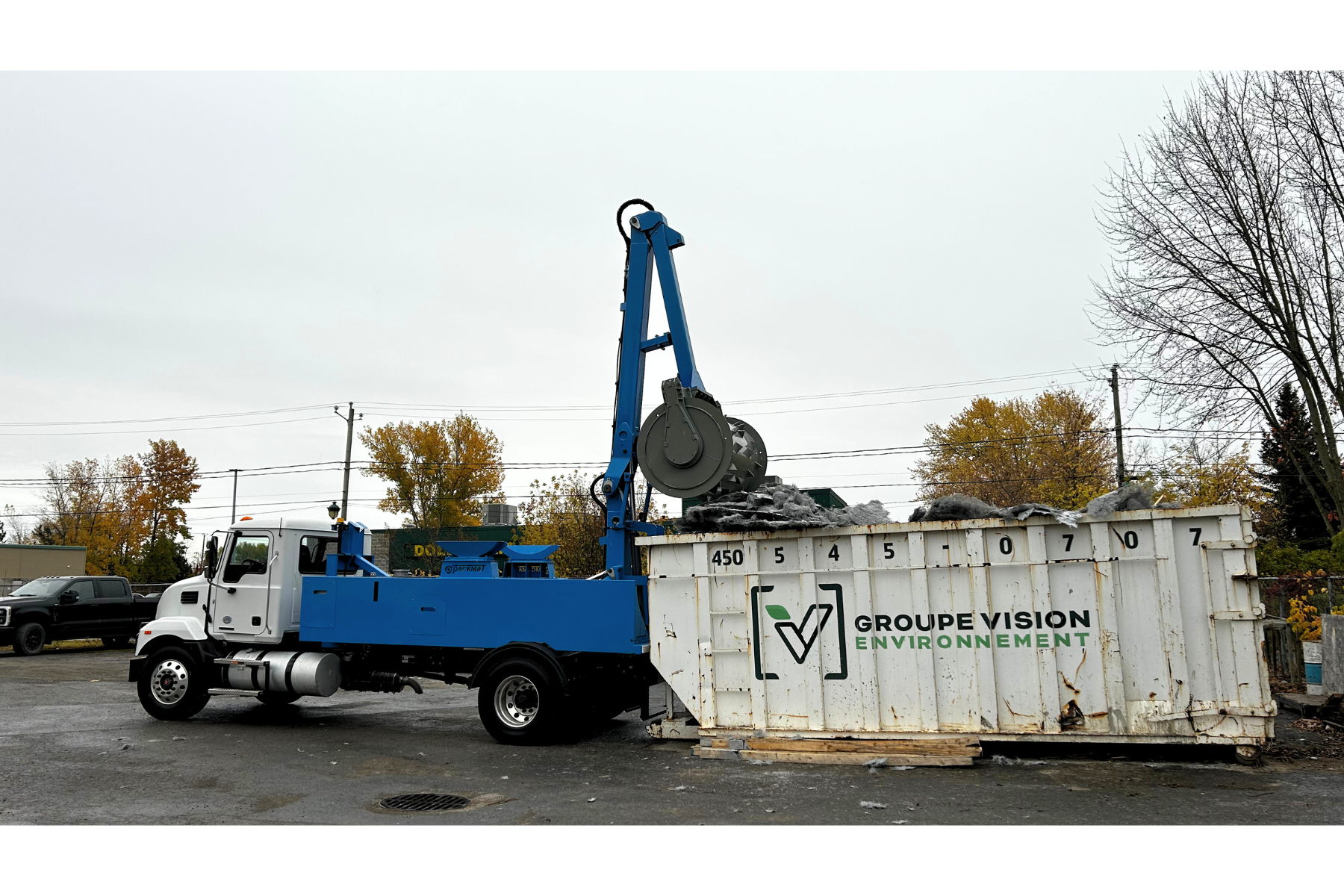
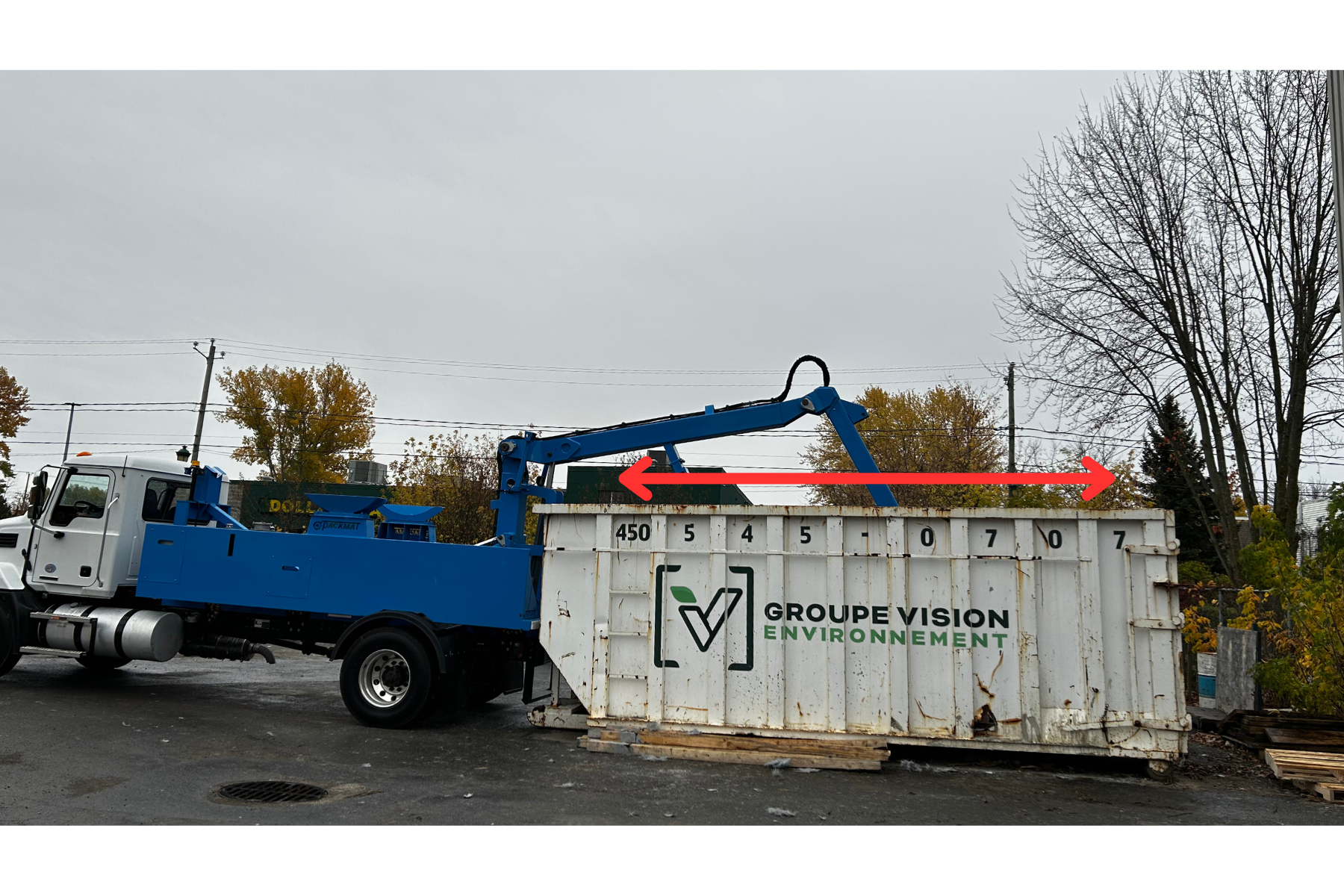
- Always position the machine in the center of the container to ensure the roller enters correctly without rubbing the sides
- The vehicle must also be parallel to the container’s rails.
- If the roller works at an angle and makes contact with the side, damage to the mast may occur
Approach to the container
- On arrival, align the vehicle as straight as possible to make reversing easier
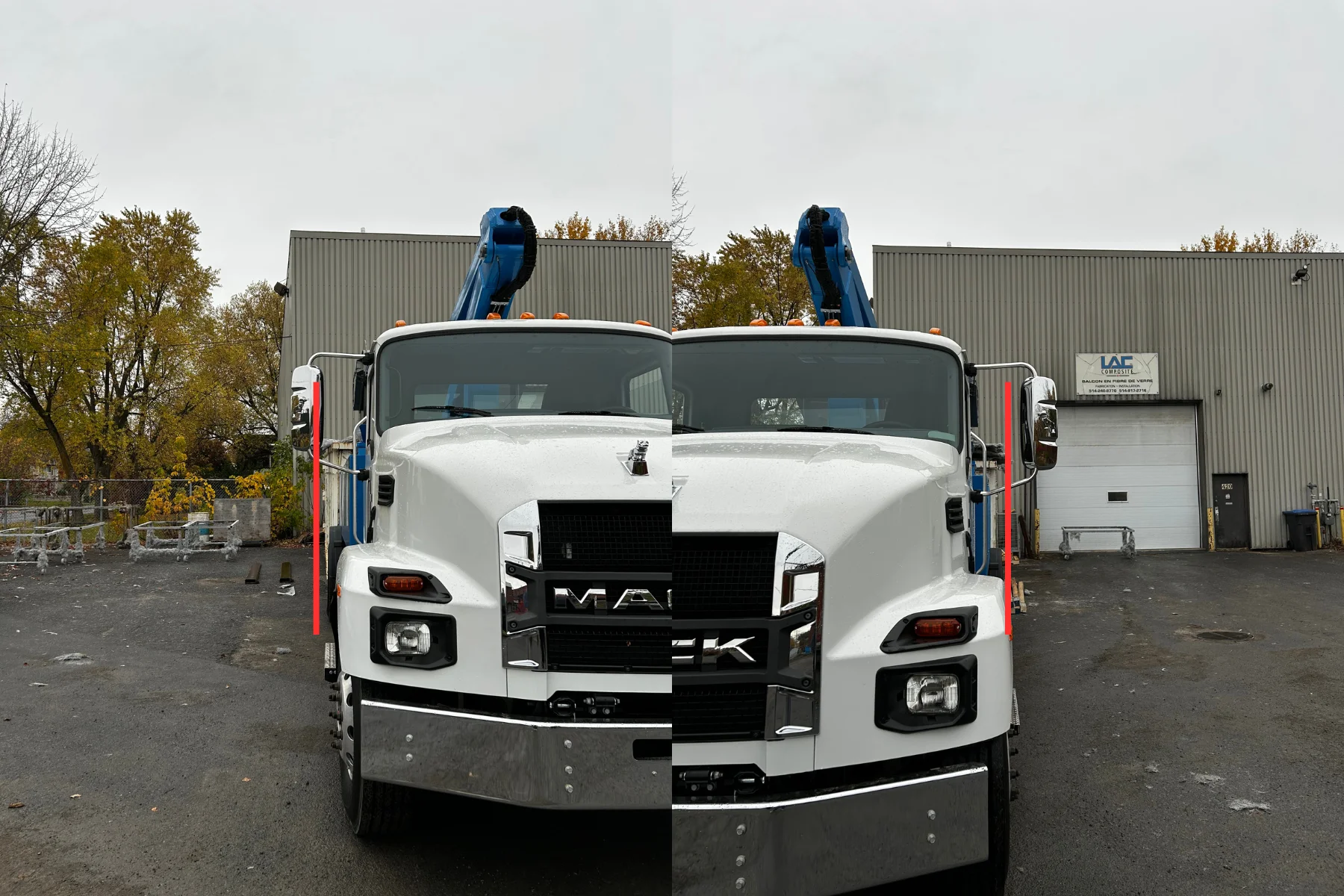
- Reverse slowly toward the container while using the mirrors to remain centered
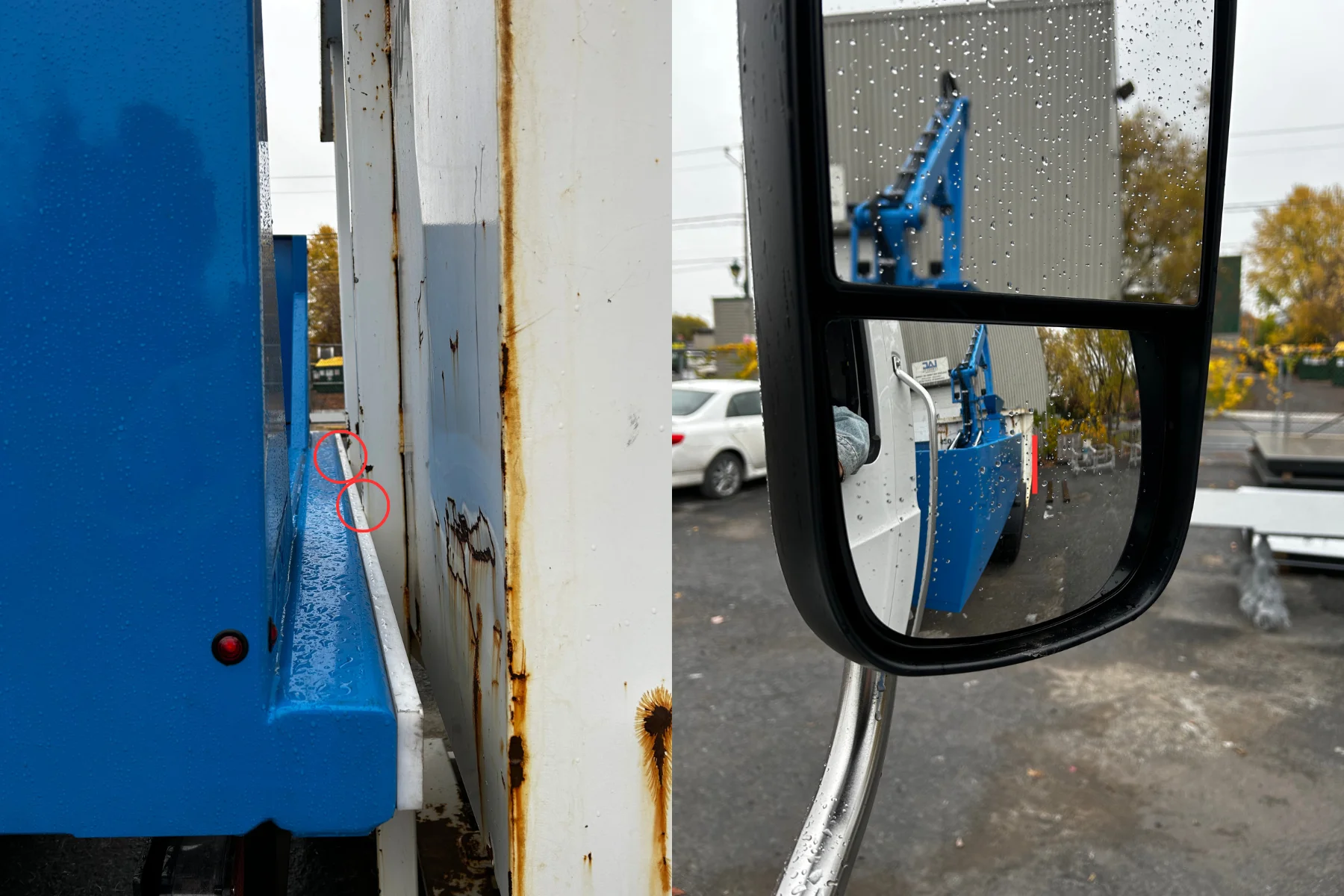
- Depending on your carrier vehicle, mirrors may provide different perceptions. Perform tests to identify which mirror allows you to confirm true parallel alignment with the container.
Contact with the container
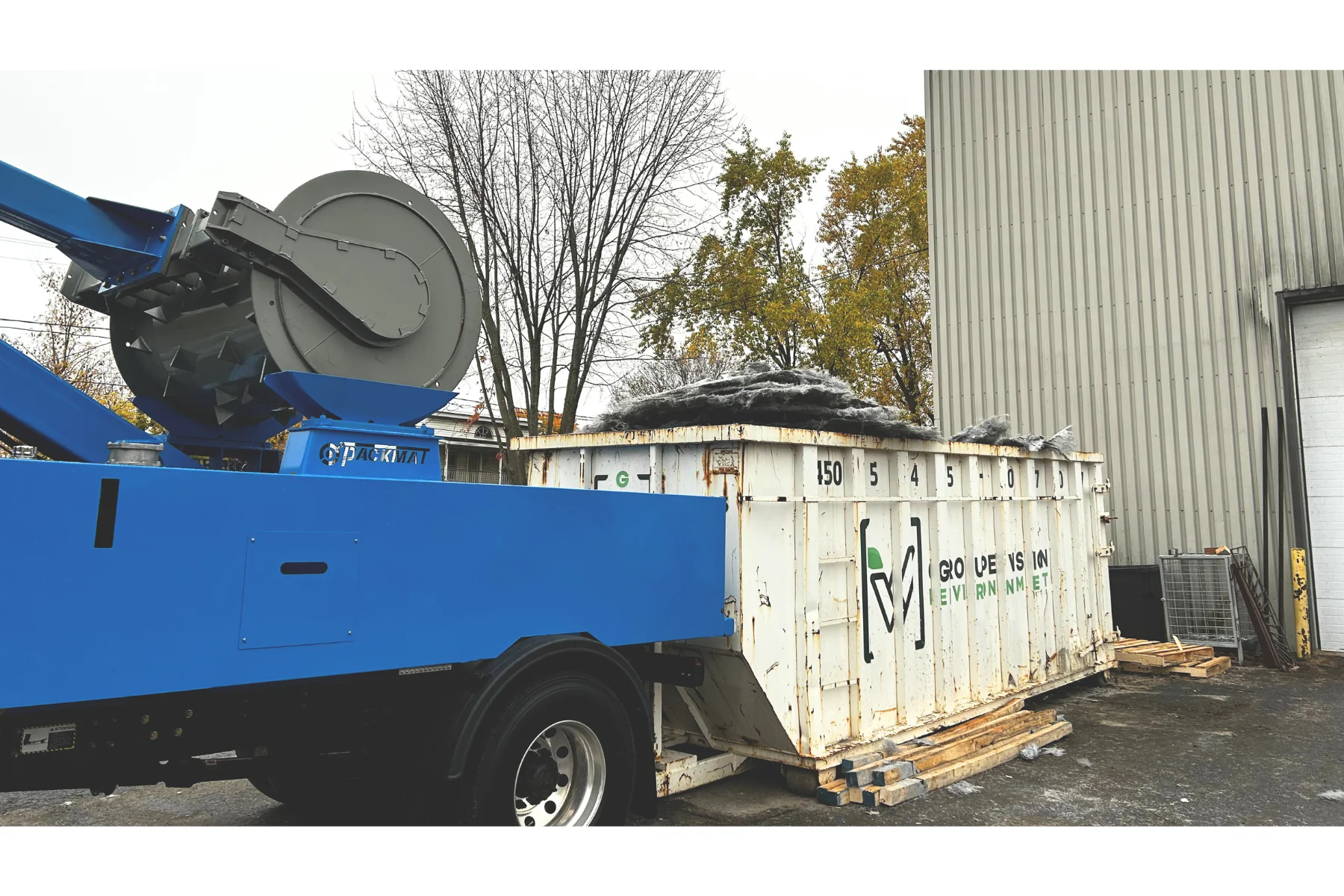
- Reverse slowly until the Teflon bumper lightly touches the container. Do not press the truck itself against the container.
- We still recommend to move forward a few inches to create clearance and prevent impact during compaction.
- Always proceed carefully to avoid unnecessary impact or damage.
Securing the vehicle
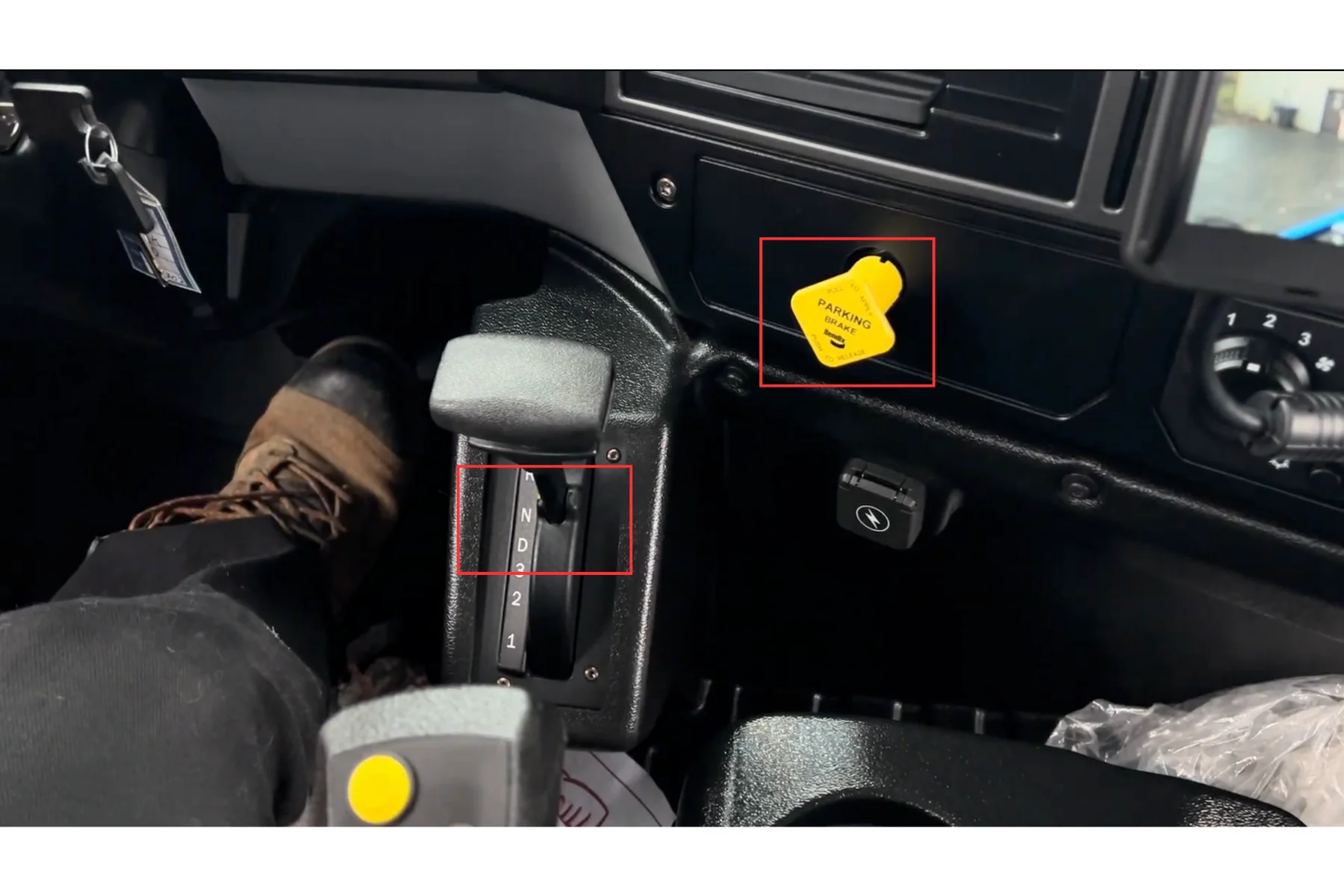
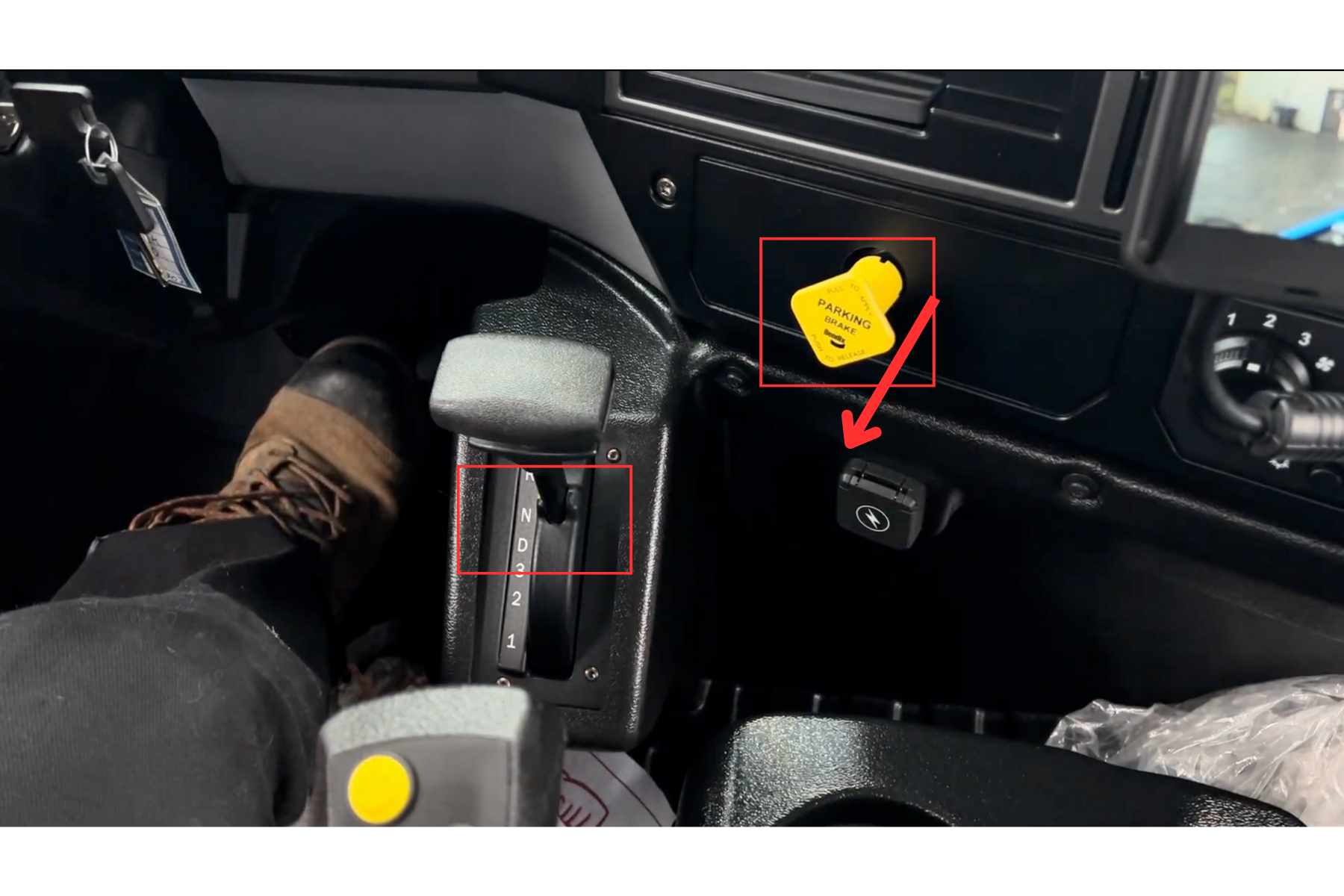
- Engage the parking brake. Place the vehicle in neutral.
Visual check
- Exit the vehicle and go to the rear to confirm correct positioning
- Both sides of the machine should either be in contact with the container front wall or a few inches ahead.
Container inspection before compaction
- Check the arrangement of bulky items in the container to ensure nothing interferes with proper operation
- Confirm that there are no combustible or hazardous materials in the container before starting compaction
Deployment
Vehicle preparation
- Verify that the vehicle is in neutral
- Engage the parking brake
System activation
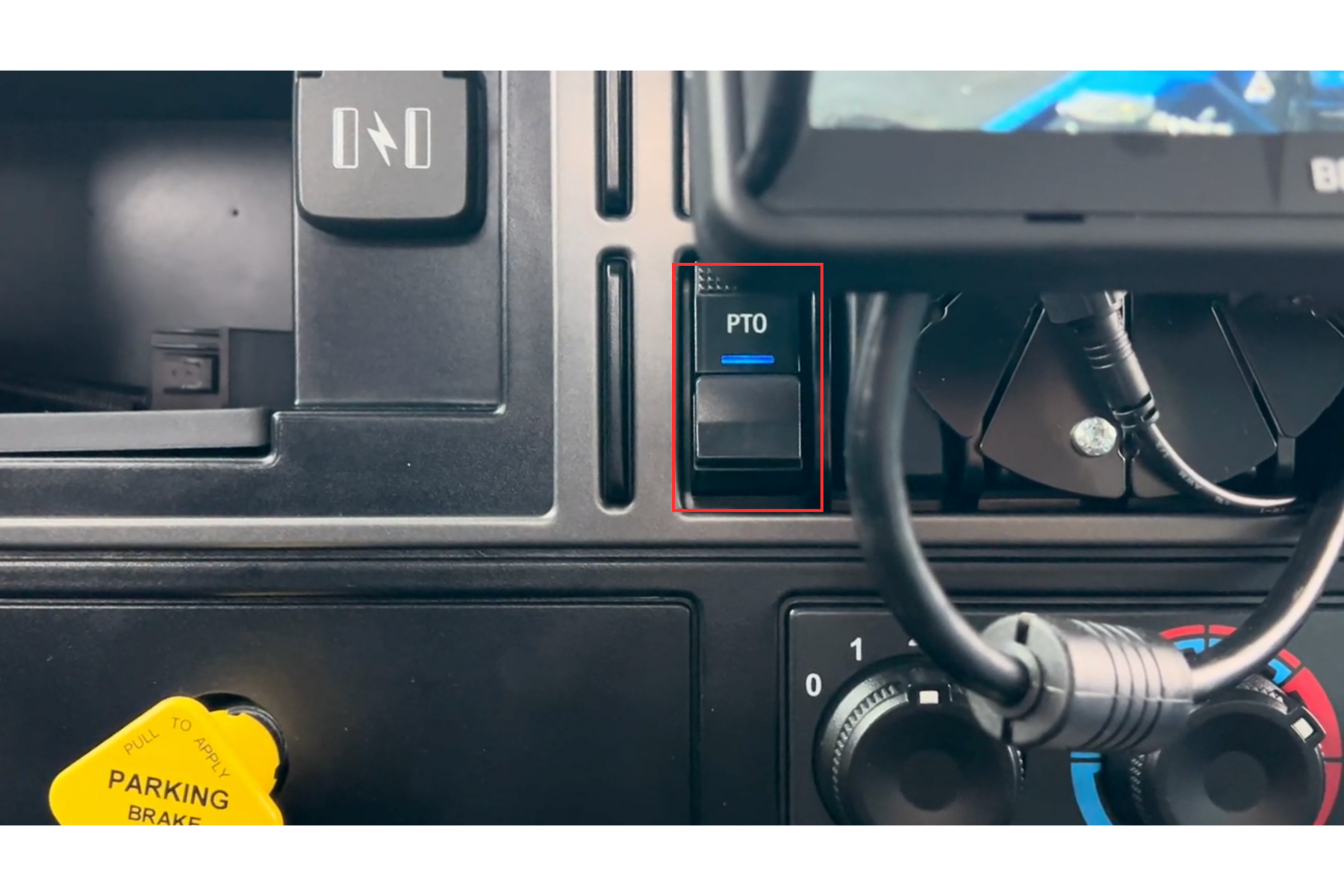
- Switch the PTO to ON.
- Make sure the PTO indicator light is ON before engaging High Idle.
*Some trucks may require light acceleration to engage the PTO.
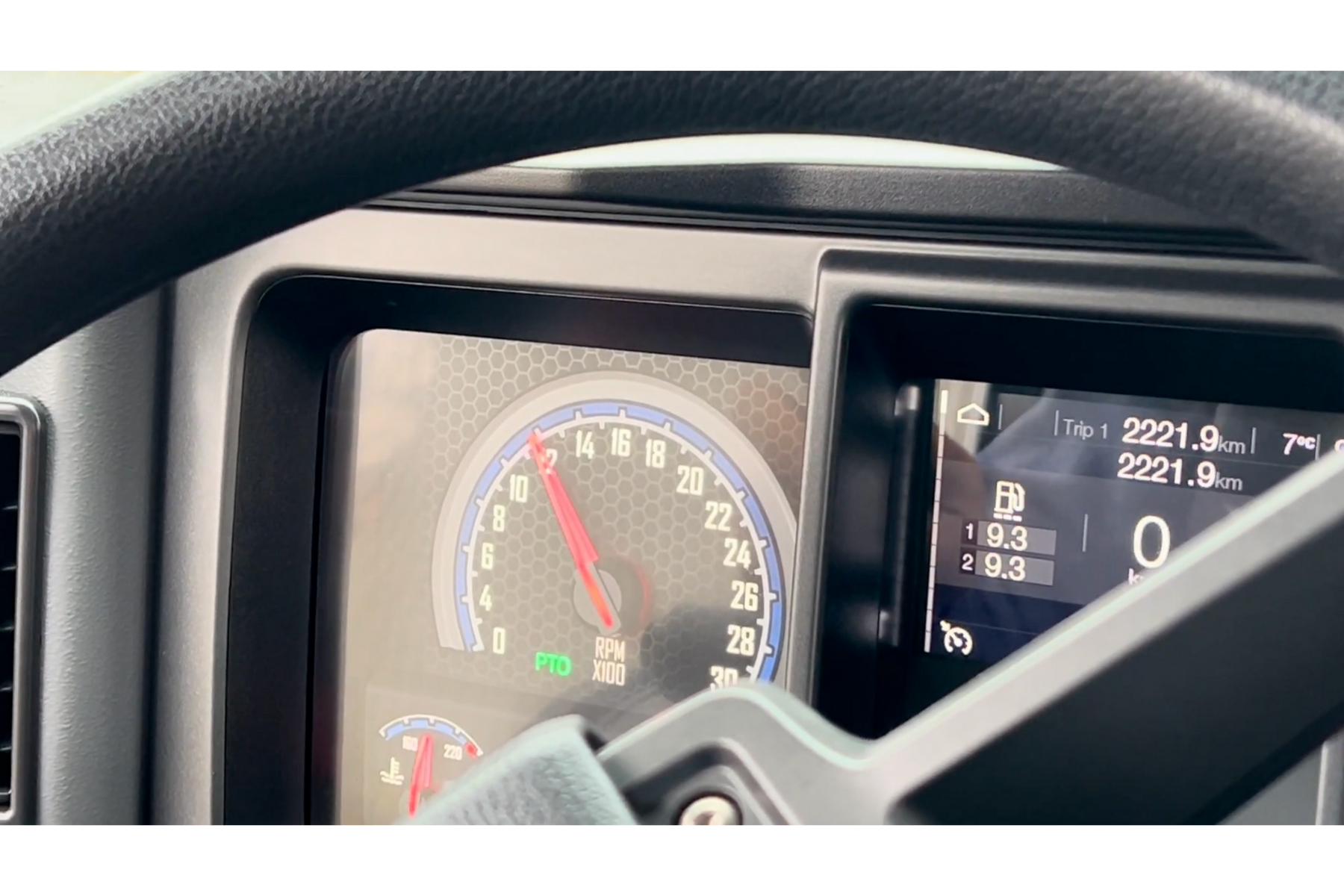
- Increase engine RPM to around 1250 RPM (the exact engagement value may vary depending on the carrier vehicle)
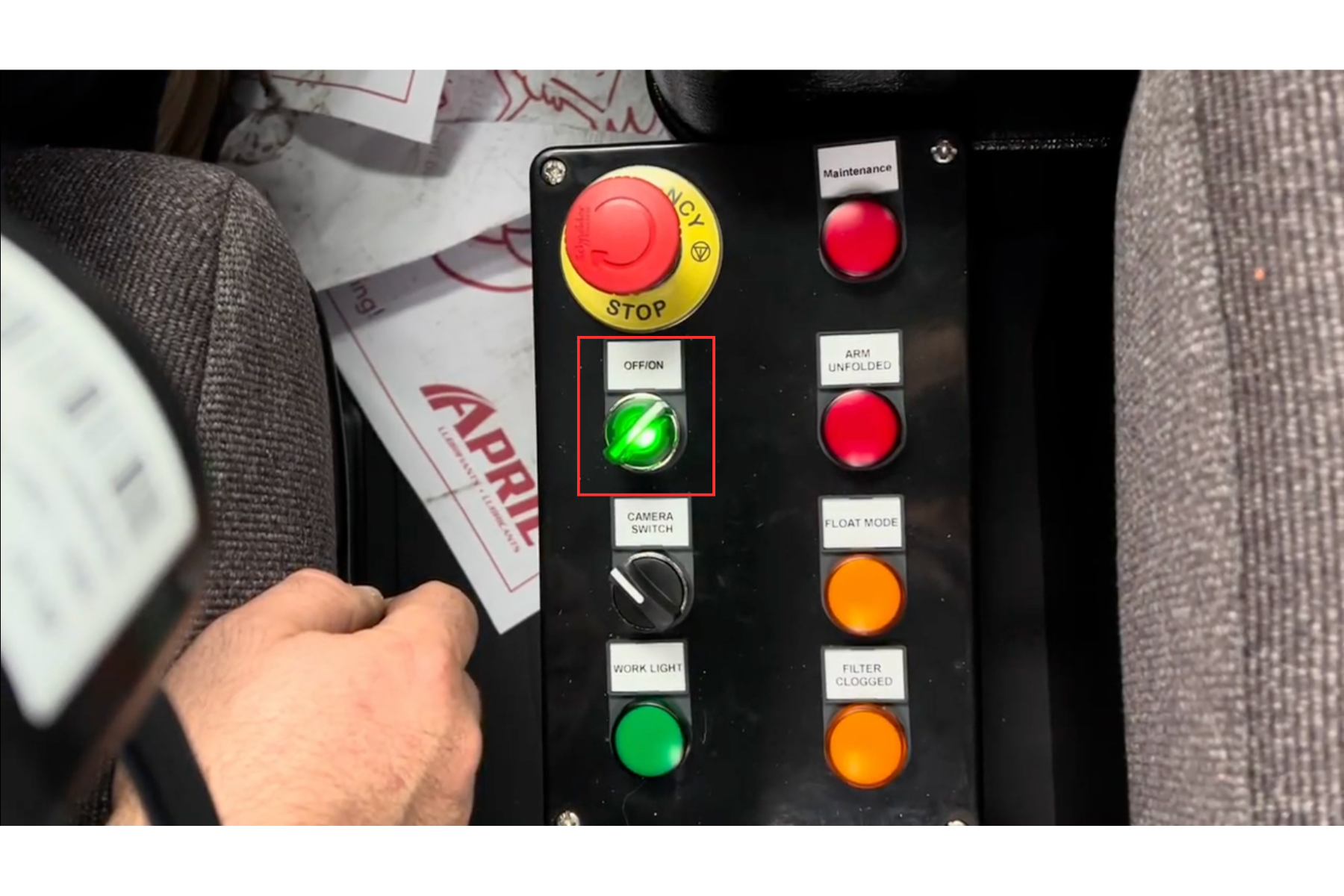
- Ensure the emergency stop button is not pressed. If it is engaged, turn it a quarter-turn to the left to release it.
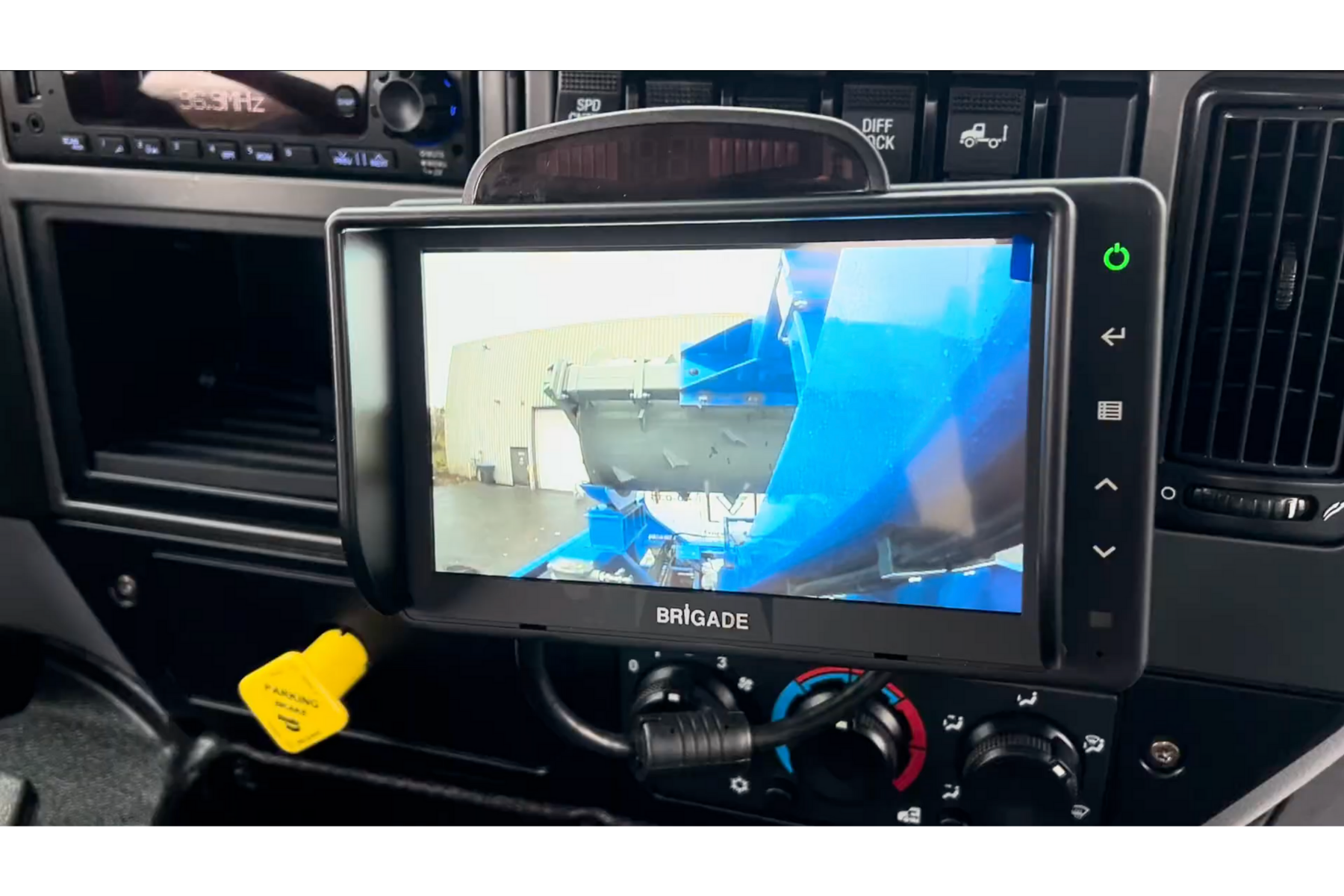
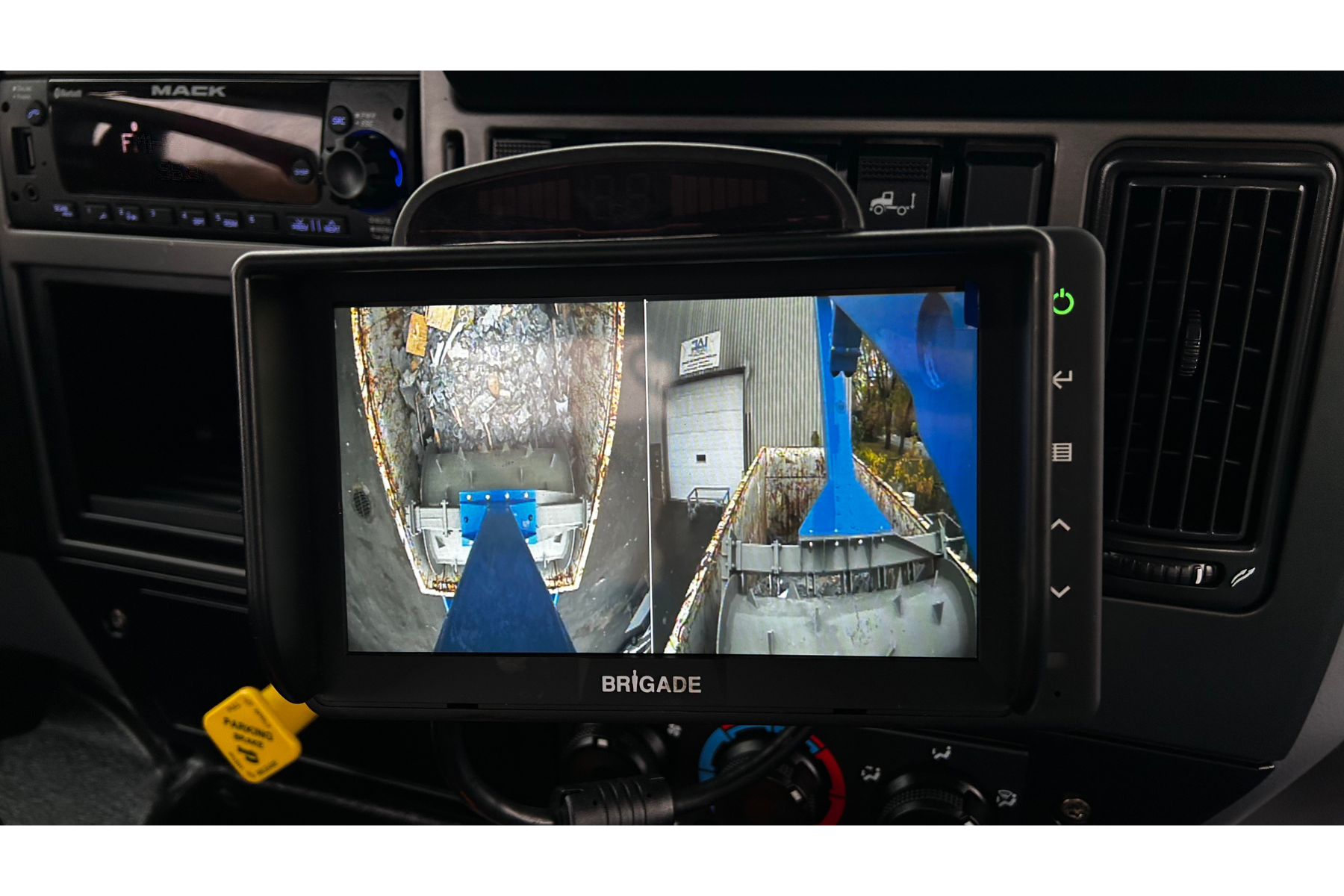
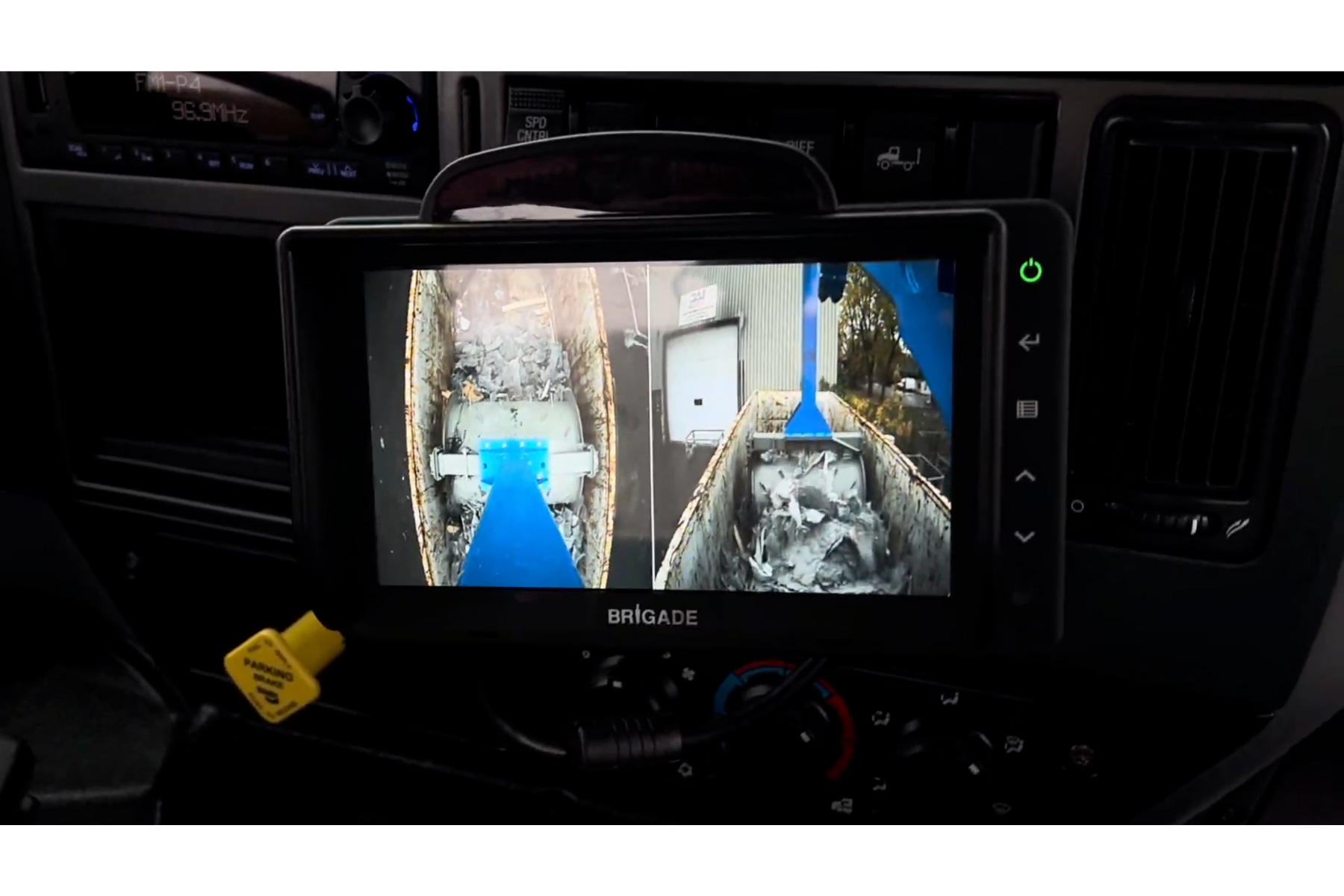
- Switch the machine selector to ON. The camera screen should power on.
Joystick use
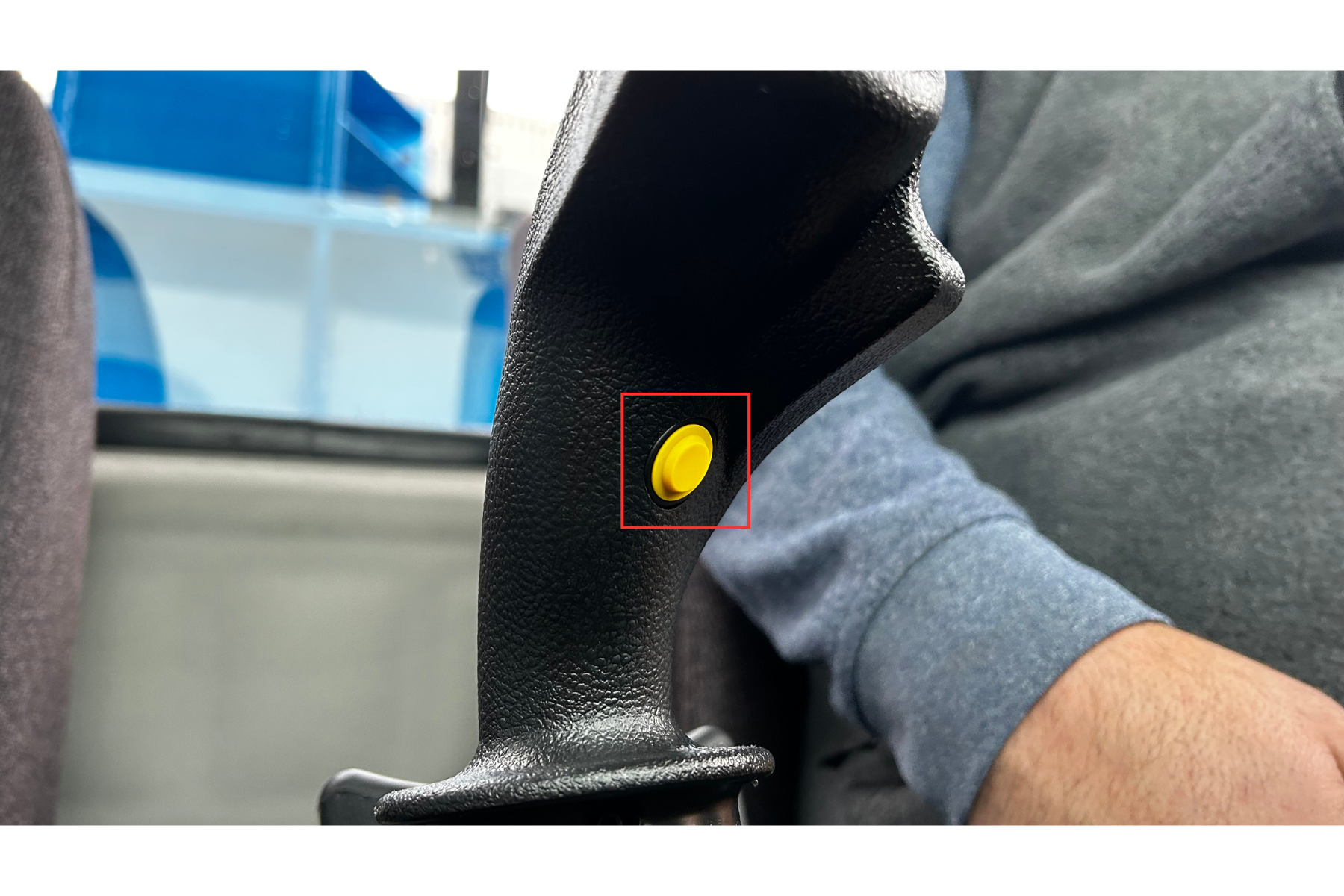
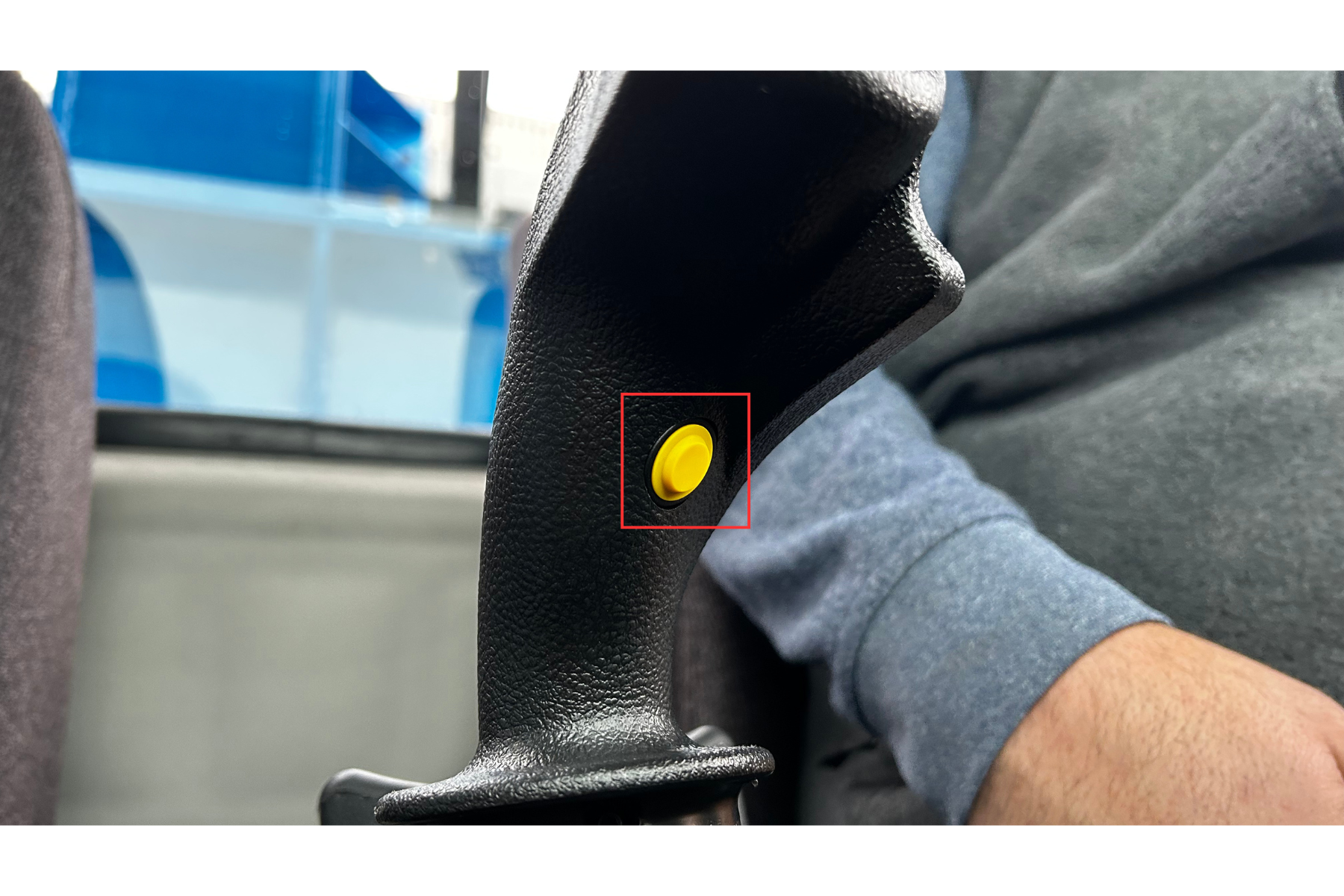
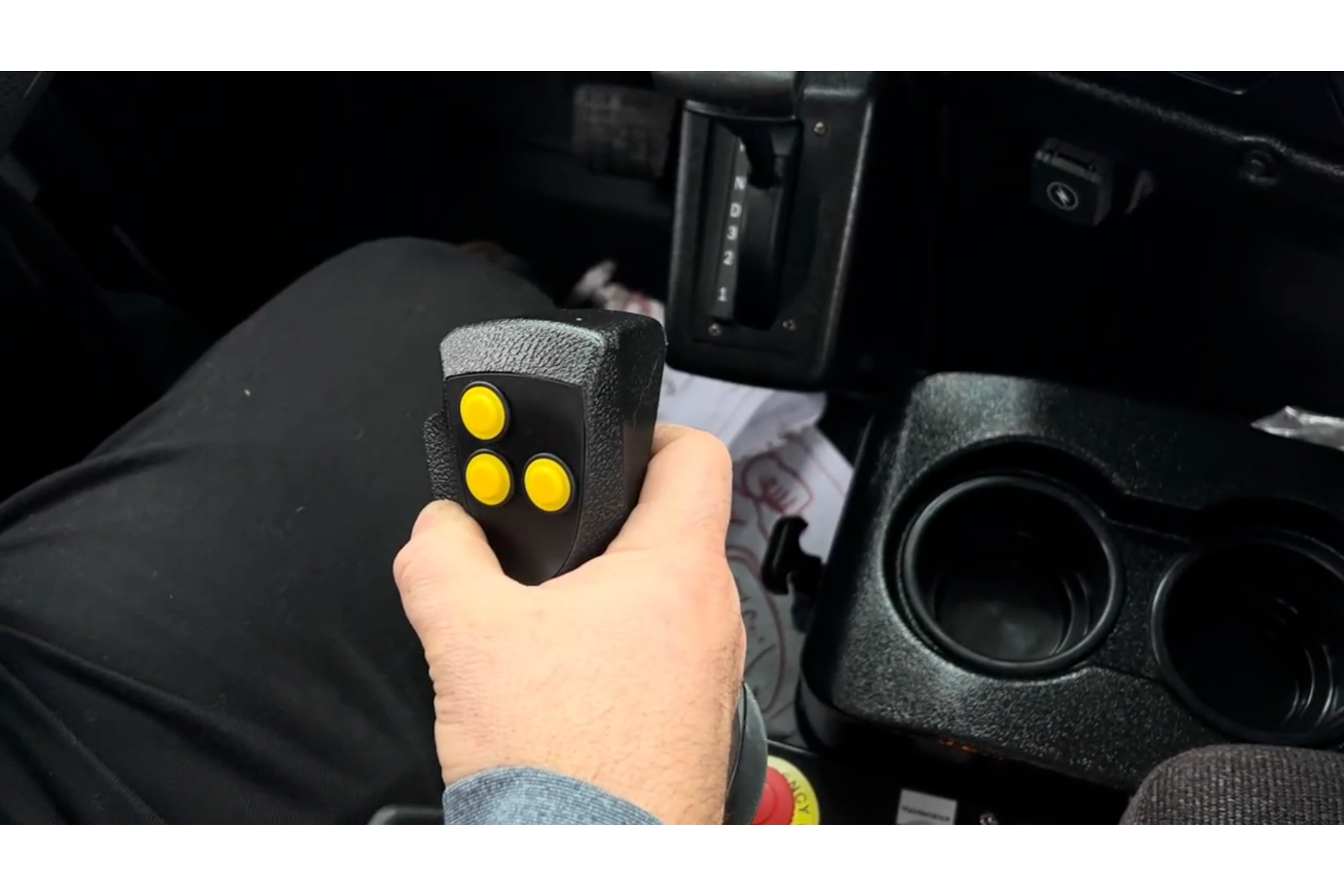
- All actions require pressing and holding the safety button on the back of the joystick
- If released, all functions stop immediately
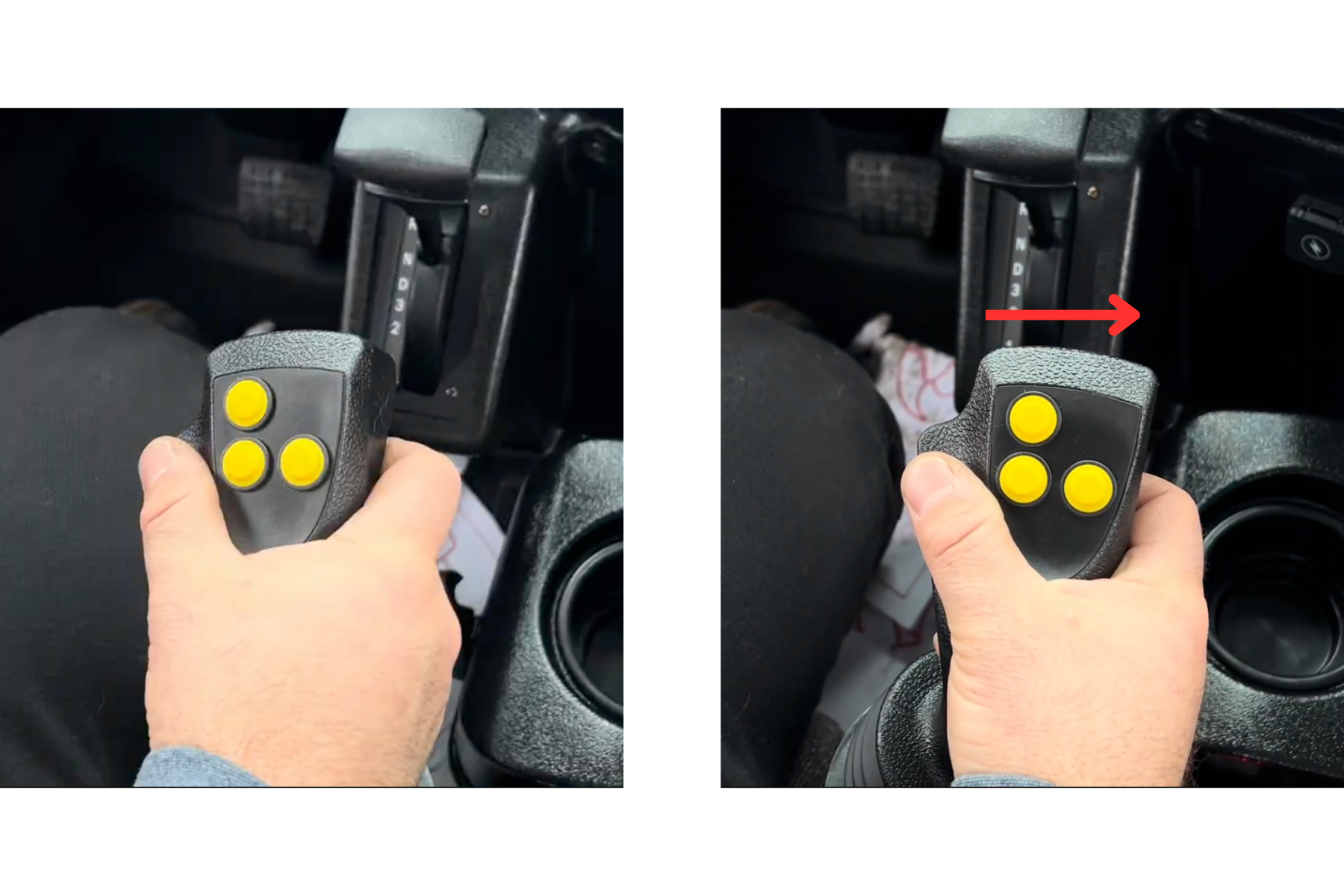
- Push the joystick to the right to lift the plane
- The movement stops automatically once the position is reached
Cameras
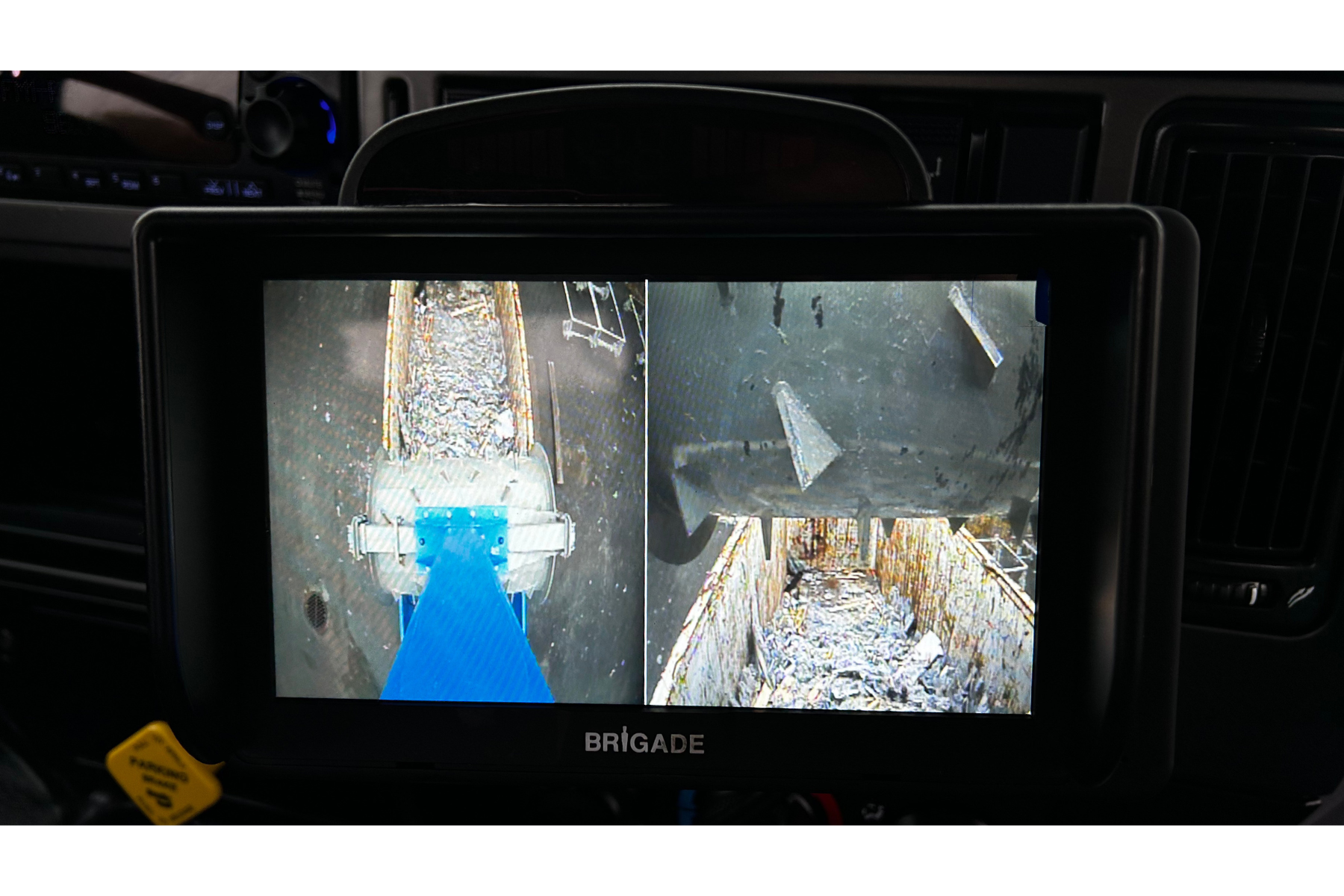
- Once the boom is raised, the cameras should automatically switch to the compaction view
- If they do not switch: Check the actuator at the rear of the boom to confirm it is correctly positioned. If the actuator is fine but the problem remains, immediately contact Packmat support at service@packmat.ca.
Warning signals
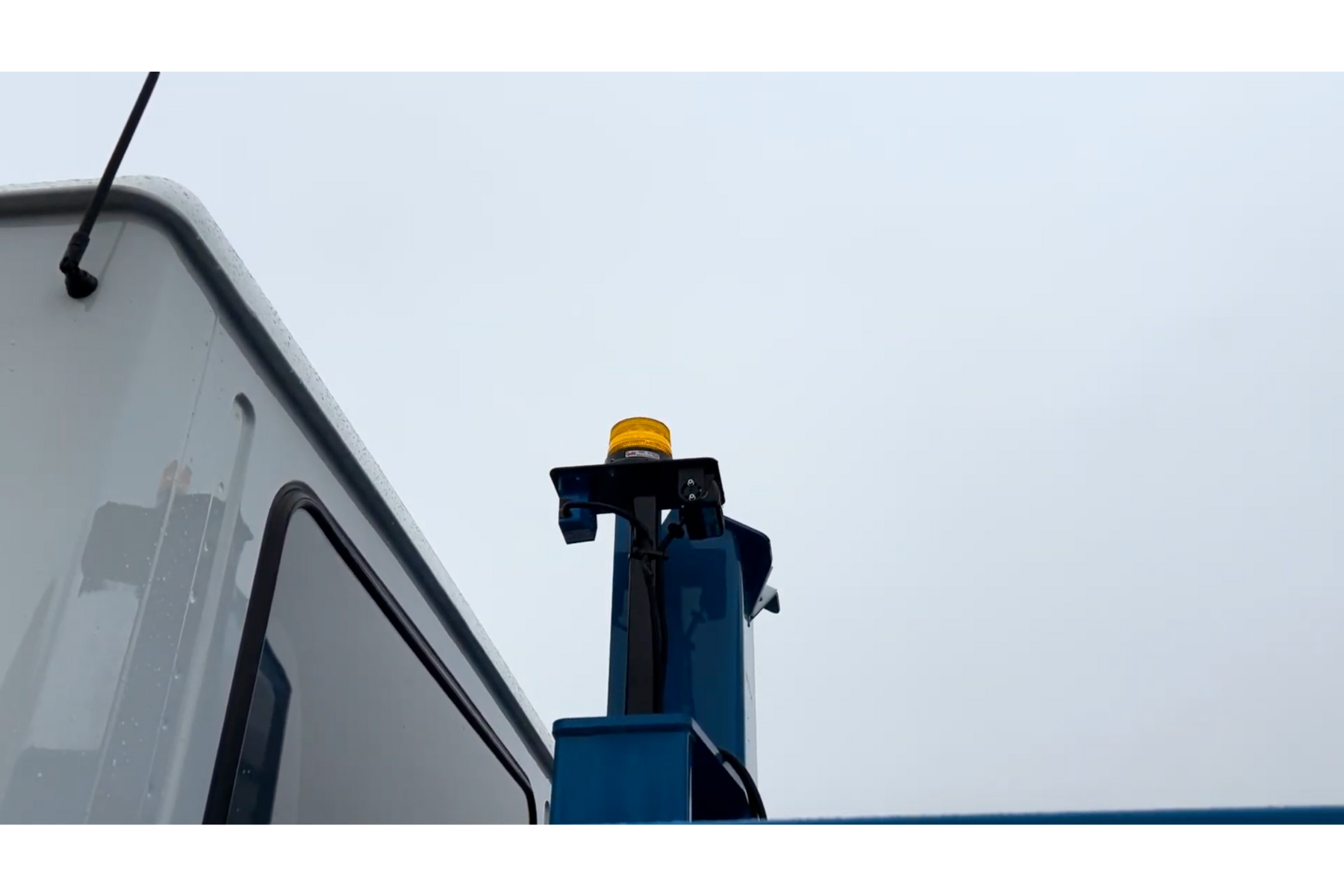
- Once the arm is raising or completely raised:
- An audible alarm will sound outside the vehicle
- A visual warning will light up on the control panel
CAUTION – Critical points

- Never attempt to use the machine if the cameras are not functioning correctly.
- Do not ignore alarms: they confirm the arm is moving and indicate risk in the surrounding area.
In case of camera malfunction
- If cameras fail to switch on, display the wrong image, or malfunction:
- Stop operations immediately.
- Visually check the actuator is in place.
- If the issue persists, contact Packmat Support at service@packmat.ca.
Compaction
Safety activation
- Before any operation, press and hold the safety button on the joystick.
- As long as the button is held, controls are active.
- Once released, all actions stop immediately.
Lowering the roller into the container
- Press the float button while pushing the joystick forward to send the roller to the back of the container. The float mode indicator should light up on the controller.

- Do not release the joystick until the end of the container is reached, to avoid creating a hole in the center

Compaction movements
- Perform repeated back-and-forth passes in the container for uniform compaction
- When within 4 feet from the container ends, reduce roller speed by easing the joystick toward neutral
- This prevents hard impacts against the container walls
Additional functions
- Tilt the roller to add or release pressure on materials
- Waste can also be shredded by slightly spinning the roller in place
- To pull waste toward the front:
- Reverse the vehicle slightly to create a mound
- The roller can then shred the waste and use momentum to climb back up
Roller return
Pull the joystick backward to bring the roller back toward the truck.
End of compaction
- Repeat until the compaction level is satisfactory
- Once complete, initiate the retraction sequence
Moving Material During Compaction
Sometimes it is necessary to move material inside the container for more efficient compaction. This can be done by combining multiple machine functions.
Safety activation
- Press and hold the safety button on the joystick before any maneuver.
- Without this, no function will be active.
- If released, all actions stop immediately.
Using float mode
When the roller reaches the back of the container, press the float button to remove roller weight.
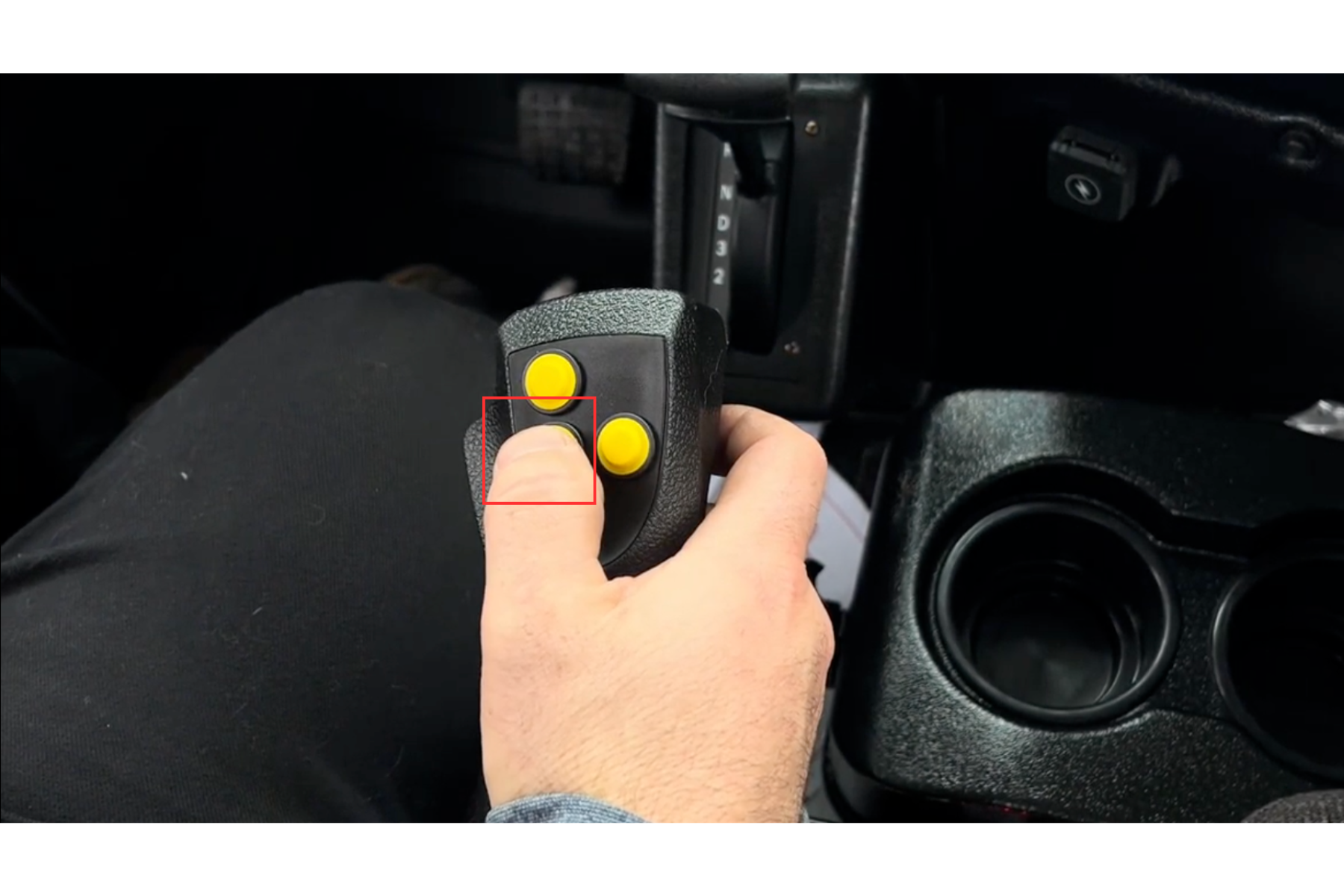
Lifting material
- Hold the lift button while pushing the joystick forward to raise material.
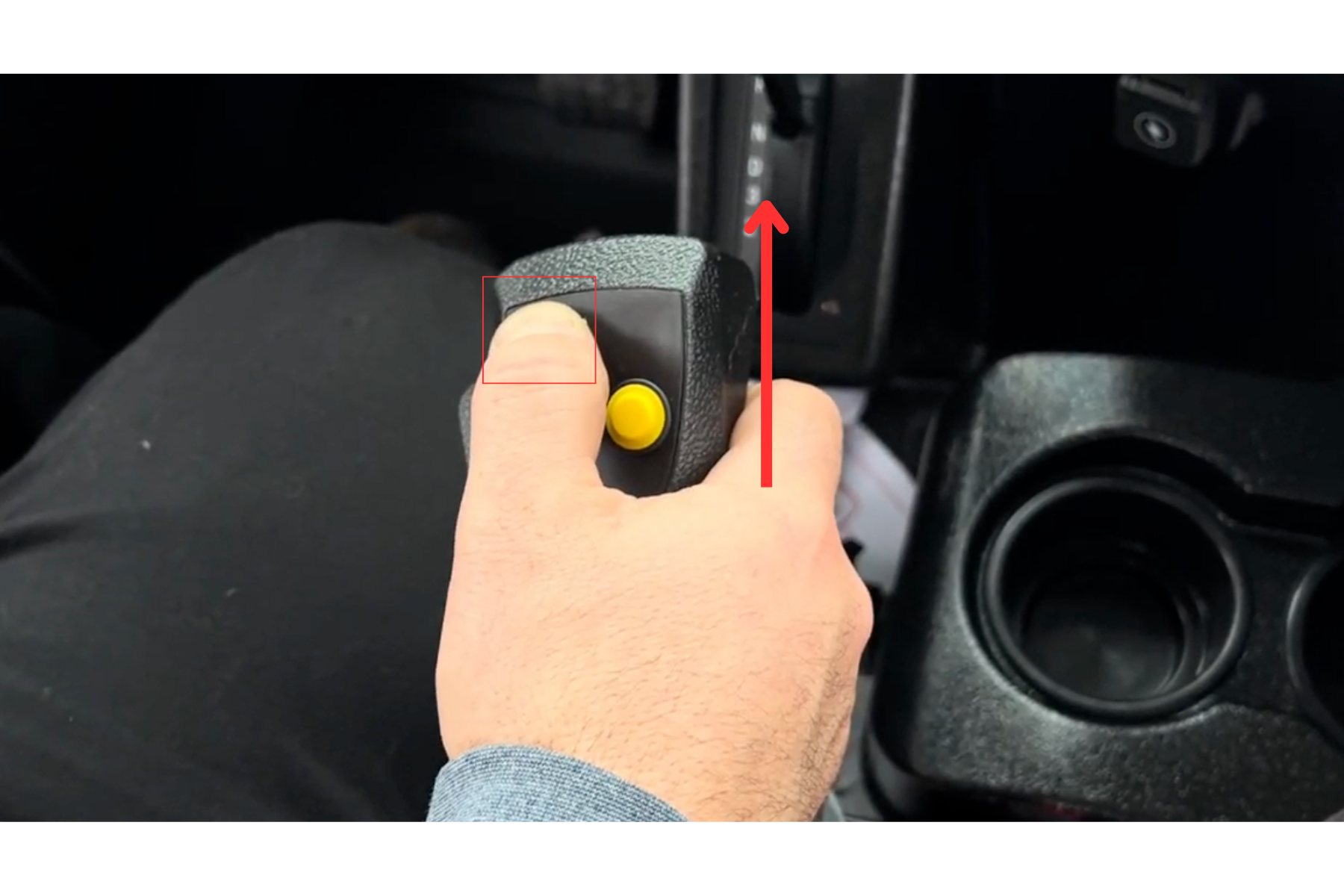
- When material appears in front of the roller, return the joystick to neutral but continue holding the lift button.
- The material will then be pulled forward.
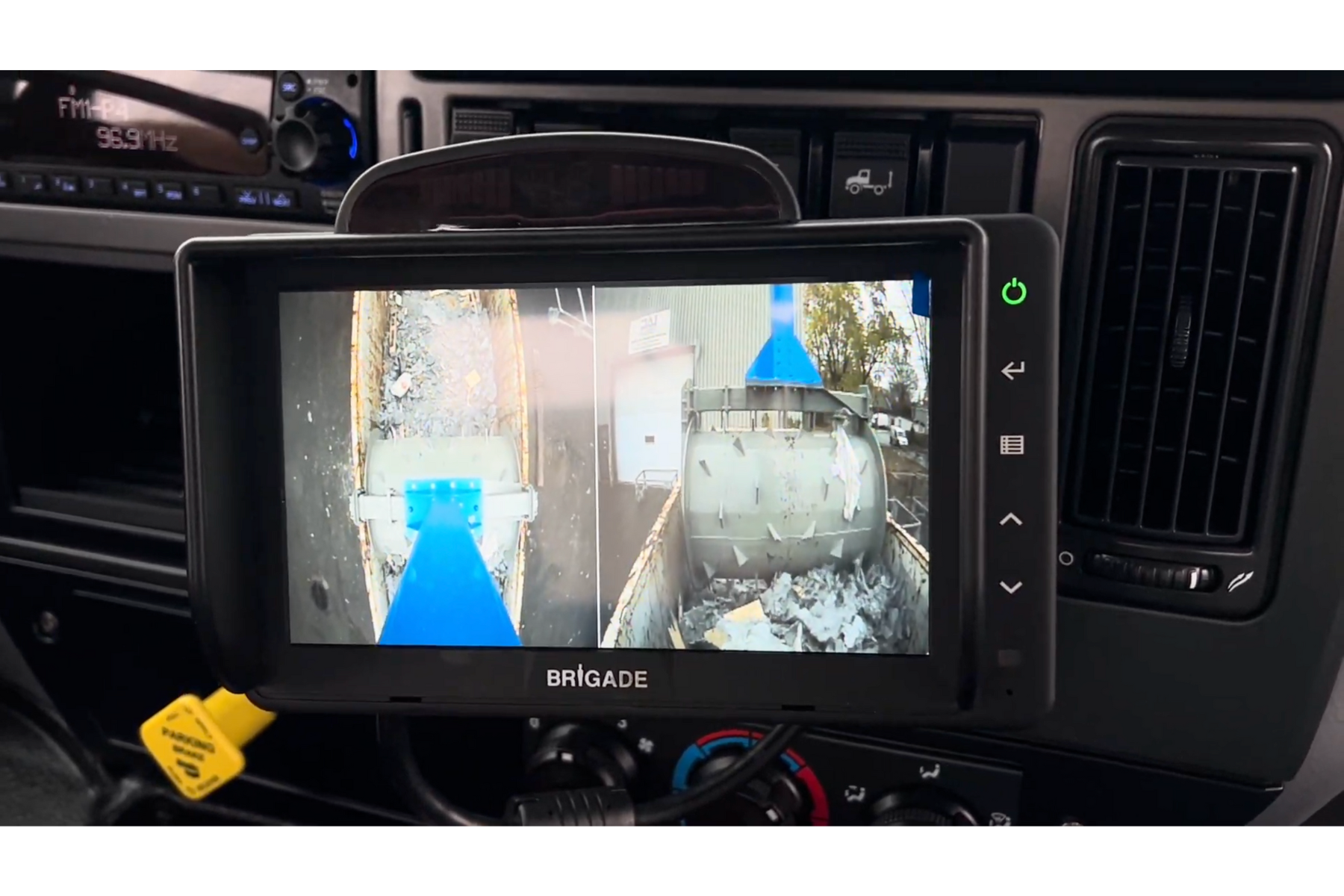
Resume compaction
- Press the float button again and push the joystick forward to return into the container.
- Repeat until compaction is satisfactory.
CAUTION – Critical points
- Always hold the safety button during maneuvers.
- Operate smoothly to avoid damage to the roller or container.
Retraction
Safety activation
- Keep the safety button pressed during all actions.
- If released, all functions stop immediately.
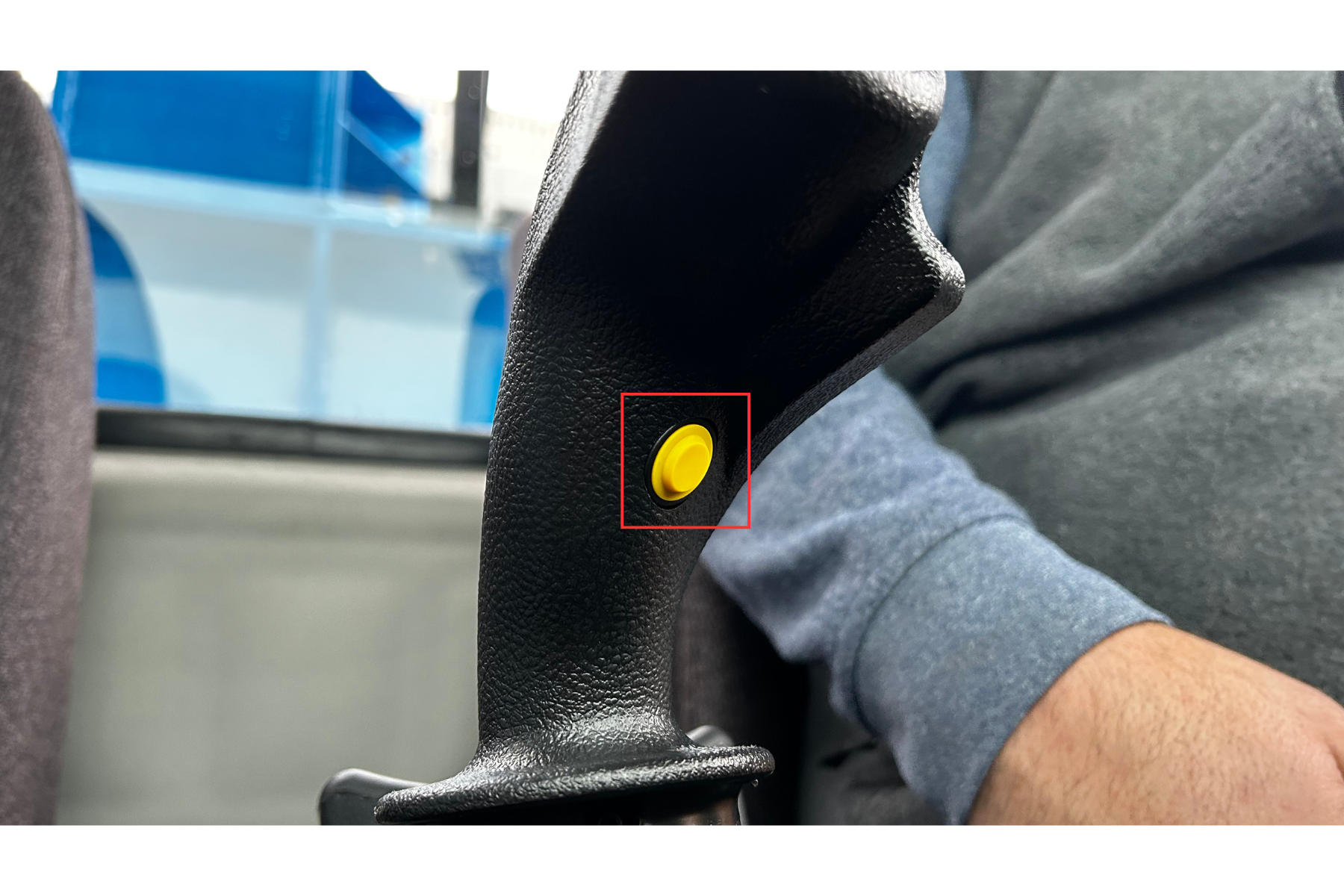
Raising the roller
- Press the lift button.

- Watch the roller carefully and raise it with short, controlled movements to prevent a pendulum effect that could strike the mast.
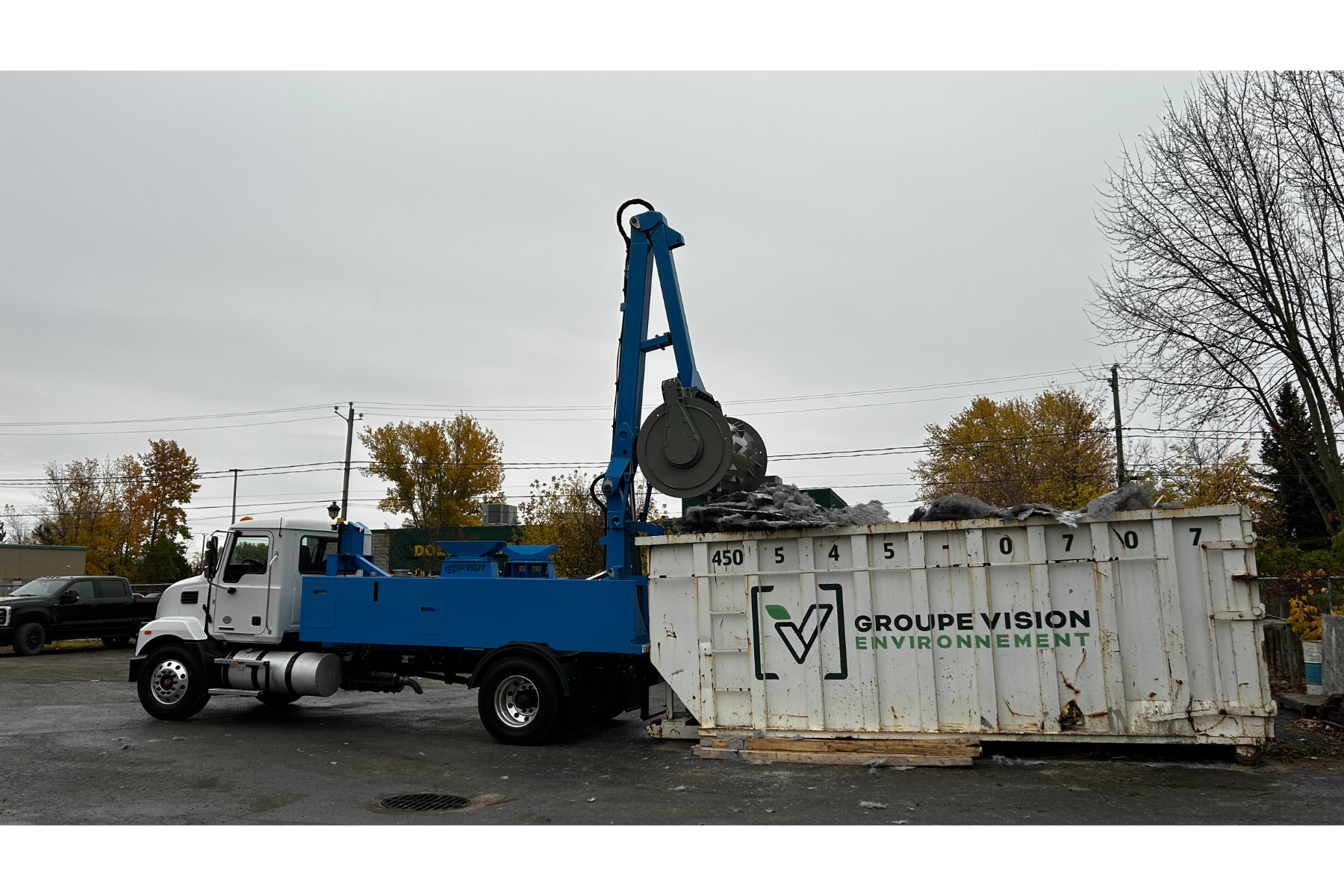
- Once the roller is fully up, keep holding the lift button until all movement stops.
- This confirms the roller is back in its initial position.
Lowering the boom
- Pull the joystick to the left to lower the boom.

- Cameras automatically return to the default display.
- Reduce descent speed by about 75% near the end of travel to avoid damage.

Roller locking
- When the roller is seated into its lock pins, keep holding the joystick left.
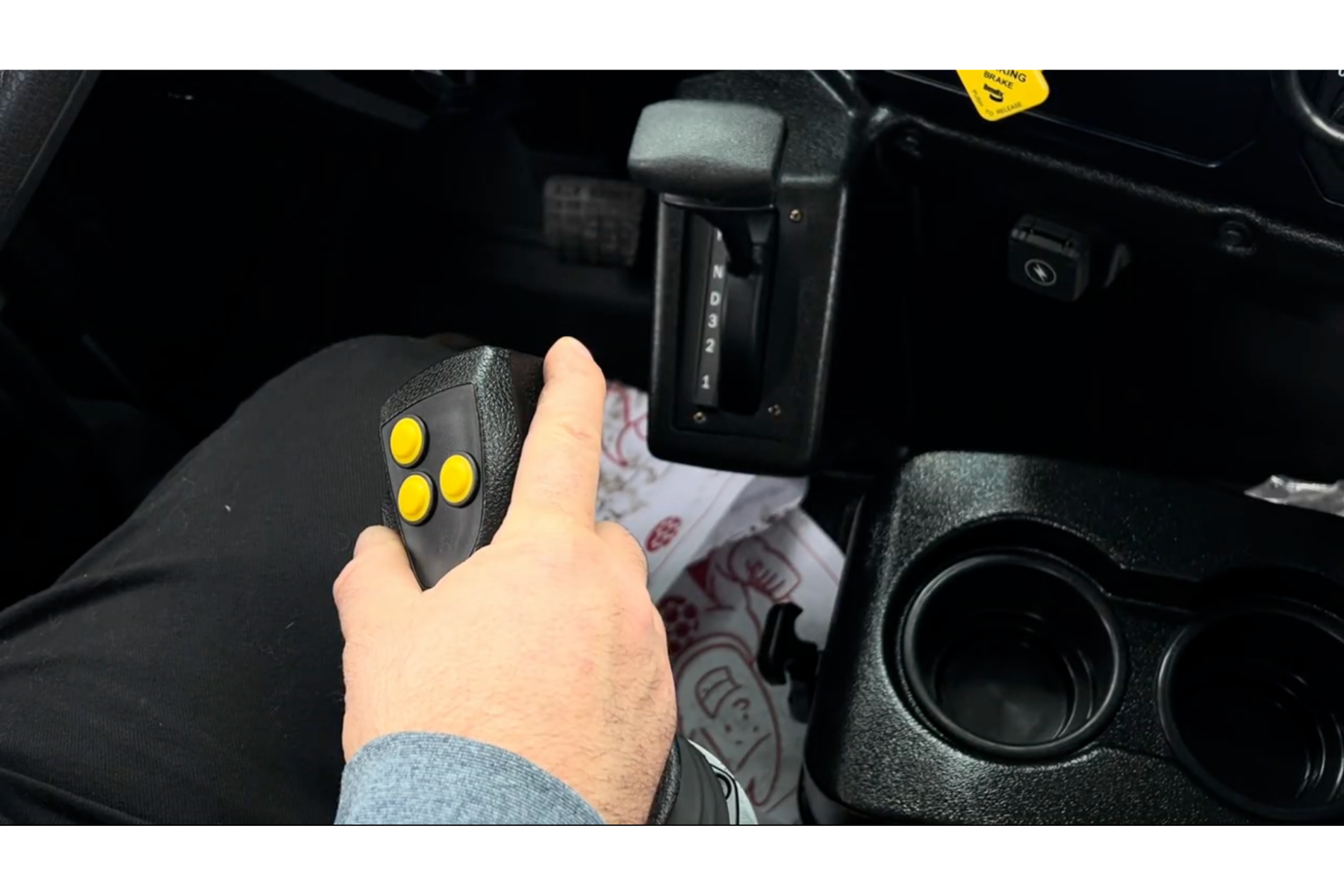
- Press the float button once or twice until:
- The audible alarm turns off.
- The visual arm deployed indicator disappears from the control panel.

Shutting down the system
- Switch the main selector to OFF.

- Reduce engine RPM to idle.

- Switch the PTO to OFF.

CAUTION – Critical points
- Always monitor the roller when raising it; poor control can cause violent impact against the mast.
- Reduce descent speed at the end of travel to avoid hydraulic or mechanical damage.
- Never leave the operator station until all alarms are fully off.